
To advertise posts with myjobscotland you must first register an account which can be done here: Register your organisation
- Complete the web form to create your account.
- An activation email will be sent to you. Please use this to activate your account.
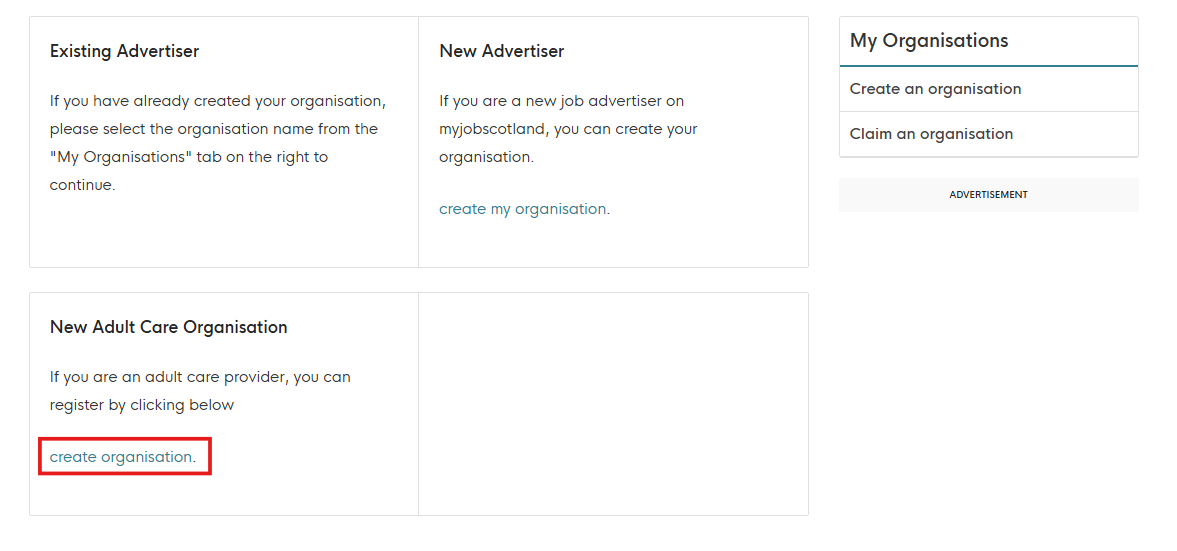
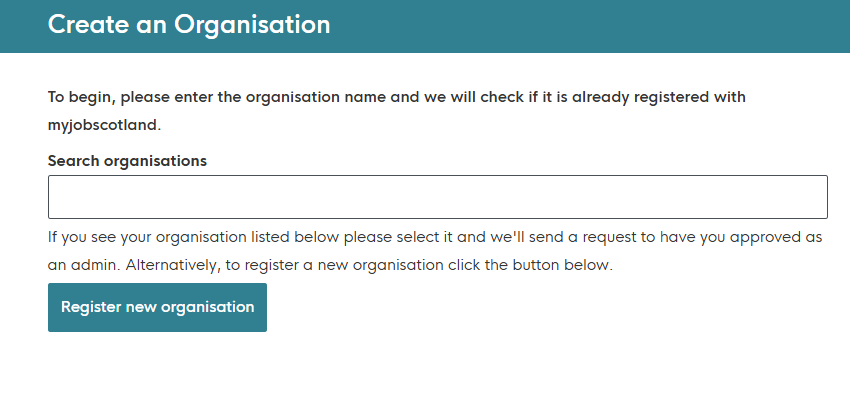
- Once you log in you will presented with the option to create an organisation. If you are a new adult social care organisation select "New Adult Care Organisation". You can search to see if your organisation is already registered and claim ownership or if not, create a new organisation.
NOTE:- You will not be able to post a job adverts until we have approved you, this may not happen immediately. Please look out for an email from us on the email you have signed up with.
You will then be able to add a description for your organisation along with a logo and header image to populate your organisations page on myjobscotland. This can be accessed by logging into your account and selecting the name of your recently created organisation.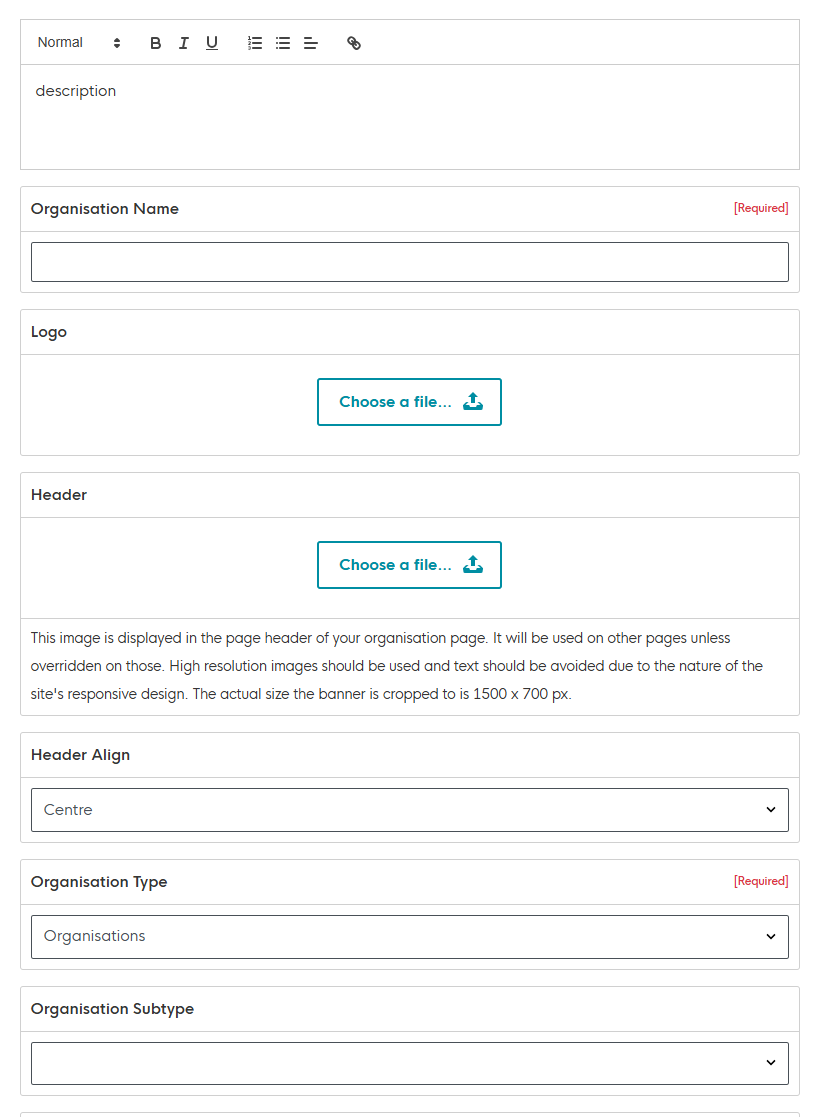 Once your organisation has been approved, to post an advert simply click on "Post a Job" in the side menu and fill out the form and then hit submit.
Please ensure that if the post is offering sponsorship for displaced adult social care workers that you toggle this option on to ensure relevant candidates can locate these posts with ease.
More in depth posting guidance can be found here: How do I post a job?