
Tokens can be purchased by registered external organisations using a credit or debit card. We are only able to invoice for blocks of five or more tokens. Single jobs must be paid for by card.
- Please log into your account at https://myjobscotland.gov.uk/ and select the profile icon in the top right corner.
- If your account has been successfully configured, you will see a page like this:
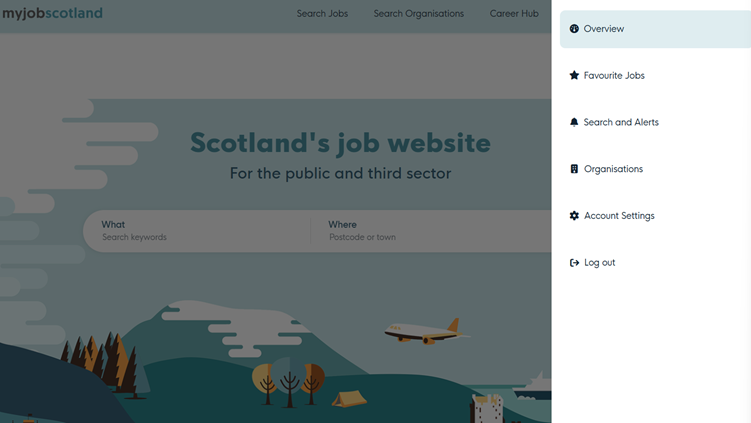
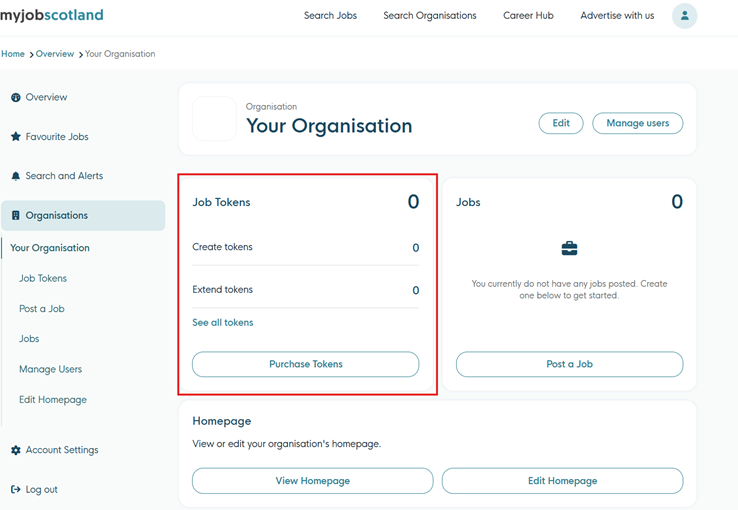
- Click on “organisations” and then your organisation, you will see a section named “job tokens” that will display the number of available tokens and the option to “purchase tokens”
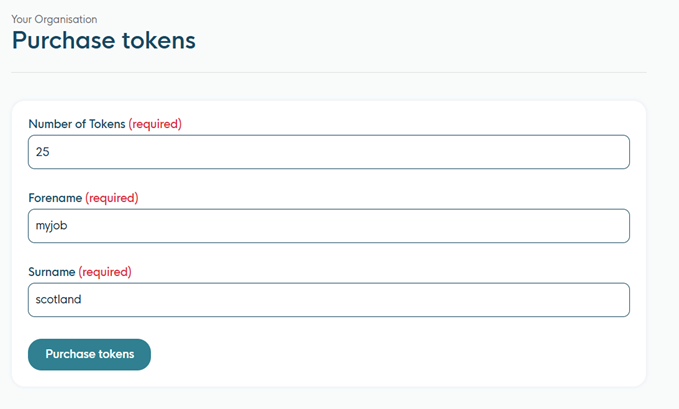
- Selecting “purchase tokens” will take you to a form where you can request to purchase tokens.
- You will then be able to review your purchase and the cost per token as bulk discounts are available.
You can then continue to the Gov.pay site to finalise your purchase.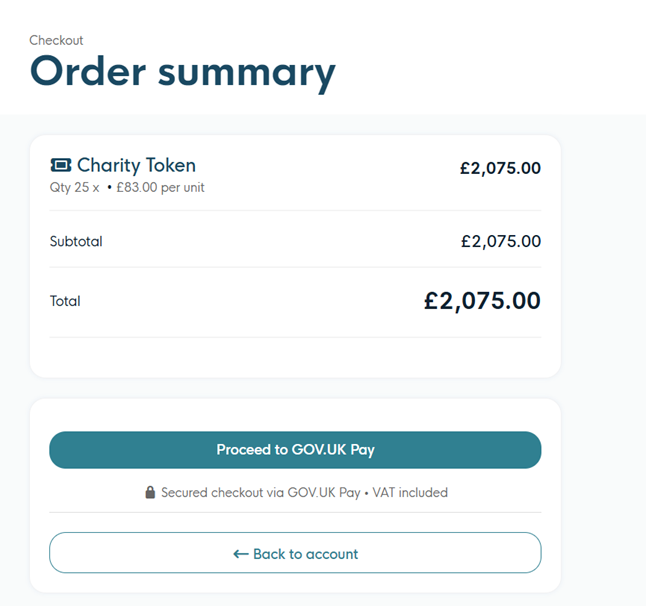
Previously bulk purchase discounts could only be requested via email; these are now applied automatically when the quantity thresholds are met. Discounts are available when you purchase a block of 15 or more tokens. Click here for details on the discounts available.
If you would like to purchase five or more tokens and would like to be invoiced, please get in touch with us at advertising@cosla.gov.uk